

Blog
Ensuring Your Final Ring Matches the 3D Render
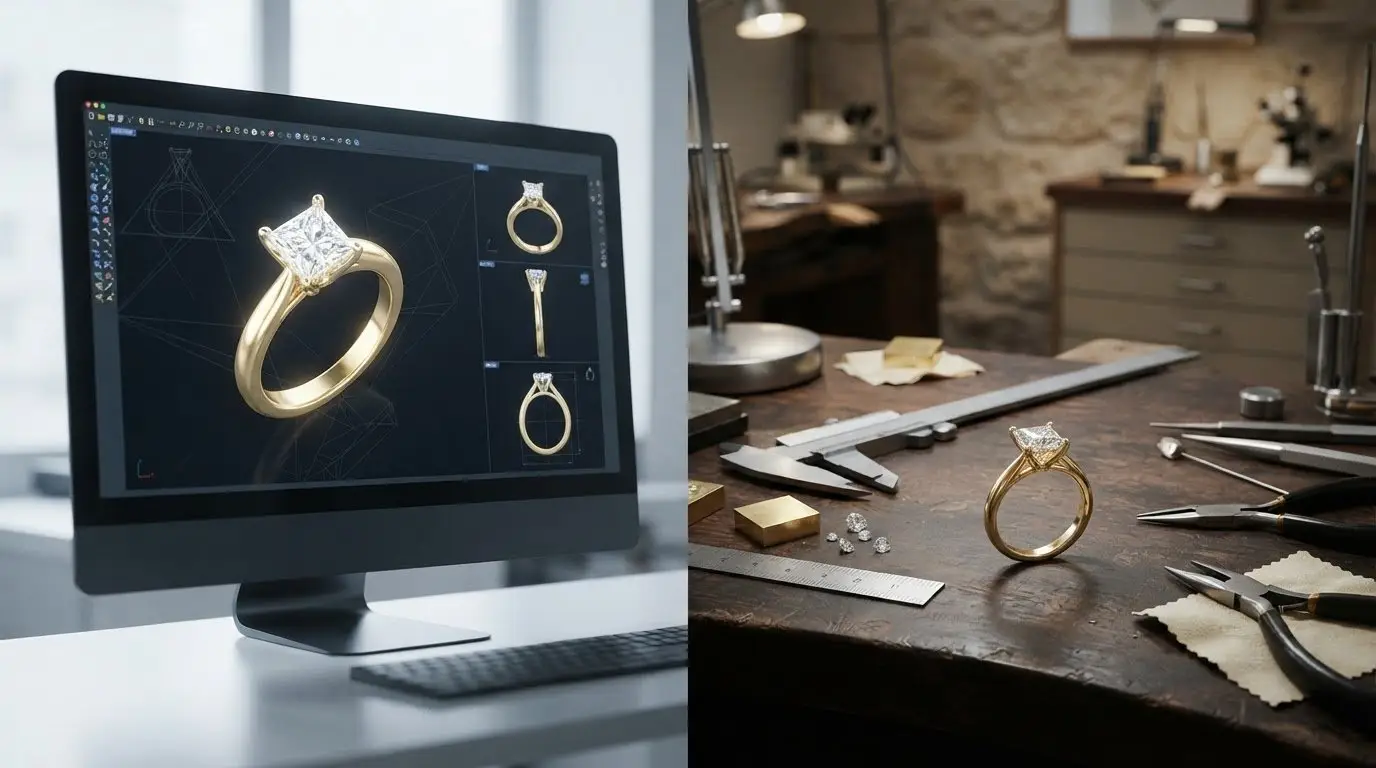
What if the image you approved is a beautiful preview, but not a complete specification for the ring being made? Ensuring the final ring matches the 3D render starts with looking beyond its overall appearance. It’s understandable to wonder whether the proportions, stone placement, or metal tone will look different once the design becomes a ring you can wear.
A render helps you picture the design, while the CAD model can contain the dimensions used for production. Lighting, magnification, material choice, and hand-finishing can all affect how the finished ring appears. Before approving a design, clarify which details are fixed and which may change during making.
This guide explains how to review proportions, stone position, ring size, band width, materials, and other key details. You’ll also learn what to ask about the CAD file, how to distinguish visual differences from specification changes, and which details to confirm in writing. Clear expectations make it easier to discuss your priorities and keep the design true to the story behind it.
Key Takeaways
- Compare the design with your original notes and reference images. Mark which features to keep and which to avoid.
- Review multiple views and confirm measurable details such as band dimensions, ring size, setting geometry, and stone placement.
- For ensuring the final ring matches the 3D render, clarify material and finish specifications as well as visual details.
- Before approving, ask which details may change during production and make sure the agreed specifications and terms are clear.
- Use a checklist to organize your questions and communicate your priorities in a custom jewelry design request.
Why a 3D ring render cannot guarantee an identical finished piece
A 3D ring render is a visual preview of a proposed design, not a physical sample or a guarantee that the finished ring will look identical from every angle. It helps you picture the shape, stone placement, and overall character of a custom ring. But a polished image can’t show every quality of a real object, and the screen displaying it can affect how you perceive its color and shine.
What a 3D ring render can and cannot show
A render is created from a digital model made with Computer-Aided Design (CAD). It can communicate the design intent, including the ring’s silhouette, how its parts relate to one another, and where the stones are placed. The CAD model may also contain measurable specifications, but confirm those details rather than estimating them from how large or delicate the ring looks in the image.
A render can suggest visual resemblance; confirmed measurements are needed to establish dimensional accuracy. Ask the designer to specify details such as ring size, band width, and setting height. Magnification can make a fine detail look prominent, even if it appears subtle at everyday scale. Similarly, smooth surfaces and rounded edges may look effortless on screen, but the feel of the finished ring depends on how it is made and finished.
The image alone also doesn’t verify metal composition, gemstone identity, or fit. Confirm the material and stone details in writing, and treat ring size as a specification to check, not something the render can prove.
Why the real ring may look different in person
Gold reflects its surroundings. Warm indoor lighting may bring out a different tone than cool daylight, and nearby colors can appear in the metal’s reflections. Surface finish matters too: a highly polished area reflects light differently from a softer, brushed surface. The render’s smooth, even shine may therefore differ from the changing reflections you see as you move your hand.
Gemstone color and brilliance depend on the individual stone and the conditions in which you view it. Light, angle, and surrounding colors can change how a stone appears, so a rendered color shouldn’t be treated as proof of the exact gemstone or how it will look in every setting.
For a more consistent review, view the image on a calibrated screen in neutral lighting, if practical. Avoid judging color on a phone display set to vivid mode or under strongly colored room lights. This won’t turn the image into a physical sample, but it can reduce distractions while you compare the design with your notes. Separate visual preferences from details that need to be measured and confirmed.
How to review a ring render before approving the design
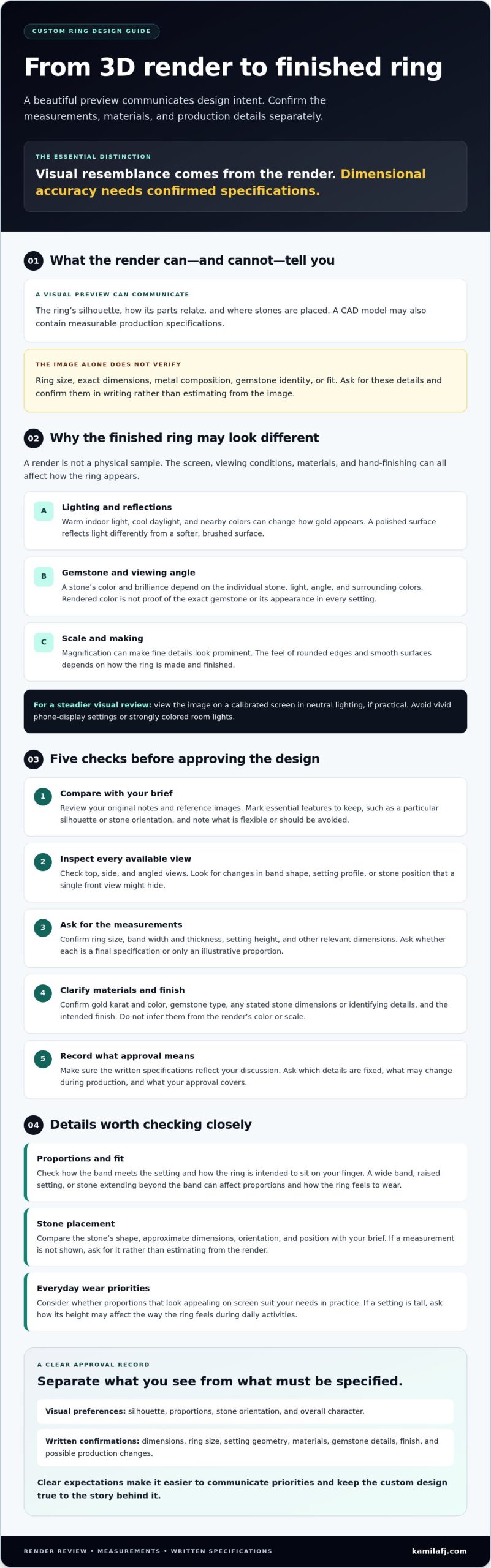
Review the design as both an image and a set of specifications. Your original notes, reference images, and plans for everyday wear can help you spot details that look appealing on screen but may not suit your needs in practice. For example, a tall setting may match your inspiration image, but you may want to ask how its height will affect the way the ring feels during daily activities.
Work through these steps before giving approval:
- Confirm the brief. Compare the render with your notes and reference images. Identify essential features, such as a particular silhouette or stone orientation, and note which details are flexible.
- Inspect every view. Review the top, side, and angled views if provided. Look for changes in the band shape, setting profile, or stone position that a single front view might hide.
- Check dimensions. Ask for the ring size, band width and thickness, setting height, and other relevant measurements. Clarify whether these are final specifications or illustrative proportions.
- Clarify materials. Confirm the gold karat and color, gemstone type, and any stated stone dimensions or identifying details in writing. Don’t infer these from the image’s color or scale.
- Record the approval. Make sure the written specifications reflect what you discussed. Ask what your approval covers and whether any details could change during production.
Check proportions, fit, and stone placement
Look closely at how the band meets the setting and how the ring is intended to sit on your finger. A wide band, raised setting, or stone that extends beyond the band can affect the ring’s proportions and how it feels to wear. Compare the stone’s shape, approximate dimensions, orientation, and position with your brief. If a measurement isn’t shown, ask for it rather than estimating from the render.
Confirm gold, gemstones, and finish in writing
Gold color in an image can’t establish its karat or composition. Ask the designer to state the intended gold karat and color, and confirm the gemstone type and any available identifying details. If you have a finish preference, such as polished or brushed, specify it and ask whether it is included in the proposed design. Keep the reply with the render and your notes so the visual concept and written details stay connected.
Before approving, confirm ring size, band dimensions, setting height and geometry, stone details and placement, gold karat and color, and surface finish. Clear documentation supports ensuring the final ring matches the 3D render. Make sure you understand any written terms about changes, cancellations, or other parts of the custom order before committing.
For a design shaped around your own story, KaMila Fine Jewellery’s custom jewelry design requests offer a way to share your priorities and questions.
Render versus finished ring: which checks matter most?
A useful comparison separates what the eye perceives from what can be checked against the agreed design. A finished ring may look warmer or less brilliant than its render because photographs, screens, and lighting influence appearance. Dimensions and material details, by contrast, can be compared with written specifications. This distinction helps you assess a difference before deciding whether it needs the jeweler’s attention.
| Visual impression | Measurable or confirmable specification |
|---|---|
| How broad or delicate the band appears | Agreed band width and thickness |
| How high or prominent the center setting looks | Setting height, shape, and geometry |
| Where the stone seems to sit from one angle | Stone position, orientation, and stated measurements |
| How large the ring appears on screen | Ring size and the dimensions recorded for the design |
| Gold tone, surface shine, and gemstone sparkle | Specified gold karat and color, gemstone details, and agreed finish |
Which ring details can be checked objectively?
Start with the written design, not a visual guess. Confirm the ring size, band width and thickness, setting geometry, and stone placement. Check that the material description names the agreed gold karat and color, and that the gemstone details match what the designer confirmed. Ask whether stone and setting measurements are exact or approximate. An image may show proportions without giving final dimensions.
If you agree to a change, such as adjusting the setting height or shifting a stone, ask for updated specifications or a revised design reference. Keep the latest version with the written change so you and the jeweler are comparing the same agreed details. This makes ensuring the final ring matches the 3D render clearer than relying on memory or an earlier image.
Which visual differences may be expected?
Gold reflects nearby colors and light, so its apparent tone can shift between a render, a photograph, and the ring in your hand. Screen color settings can also make the metal look warmer or cooler. Gemstone brilliance and color vary with the stone itself and with the angle and lighting under which you see it. These differences alone don’t establish that the ring was made differently from the agreed design.
Don’t decide there’s a mismatch based on one photo. Compare the ring with the render from similar angles and, where practical, under neutral lighting. Then check visible construction details against the written specifications. A change in sparkle may be a viewing difference; a stone placed contrary to the agreed position or dimensions is a specific detail to raise with the jeweler.
A practical checklist for ensuring the final ring matches the 3D render
A little organization makes a personal design brief easier to discuss and review. Keep your inspiration images, written priorities, and questions together, then use this checklist at each stage of reviewing a design preview. If you’re choosing an engagement ring and thinking about the meaning behind its details, the complete engagement ring guide offers additional ideas.
Before reviewing the design
- Gather references. Share images that capture details you like, and add notes describing what to retain and what to avoid. For example, specify “low setting like this image” rather than simply “make it comfortable.”
- Write down priorities. Note the band profile, preferred setting height, stone shape and orientation, intended materials, and how you expect to wear the ring day to day.
- Separate essentials from preferences. Mark which features should remain unchanged and which could be adjusted, so the designer understands where there’s room for interpretation.
Questions to ask your jewelry designer
Ask which dimensions and material details are confirmed in the render or its accompanying specifications. Clarify whether stone and setting measurements are exact or approximate, and which details can still be adjusted. Find out how to submit corrections and how you’ll identify the current agreed version. Also ask which differences in gold tone, gemstone color, or sparkle may come from lighting and screen display rather than from the design.
During and after reviewing the preview
- Compare systematically. Check the design against your notes and references. Review each available angle, and record any detail that looks unclear or differs from the brief.
- Ask for clarification before approval. Keep unresolved questions visible. Don’t treat the design as final until you understand the specifications and know how requested changes will be recorded.
- Save the agreed materials together. Keep the brief, reference images, written specifications, correspondence about changes, and agreed design preview in one place. Ask which version represents the latest agreement.
Clear documentation gives you and the designer a shared point of reference. It supports ensuring the final ring matches the 3D render by distinguishing agreed details from visual impressions that may shift with lighting or viewing conditions.
KaMila Fine Jewellery accepts custom jewelry design requests. Its custom jewelry design request can be a place to share your priorities and reference notes.
From approved ring render to a confident custom-design request
A render is most useful when it comes with a clear written specification. Treat the image as the visual expression of your idea, and use confirmed details such as ring size, band dimensions, setting geometry, stone placement, and materials to explain what you expect. This gives you a stronger shared reference than approving an image alone, while leaving room to discuss how the design request will be handled.
What to prepare before requesting a custom ring
Gather a few useful details before you contact a designer. You don’t need every technical answer yet. The aim is to make your priorities clear and identify what needs discussion.
- Reference images: Add short notes explaining what you like in each image and what you’d rather avoid.
- Fit and design priorities: Share your preferred ring size if known, plus details such as band profile, setting height, stone shape, or orientation.
- Material preferences: Note any preferences for gold karat or color, and the gemstone you have in mind. If you’re considering a lab-grown diamond, the lab-grown diamond guide can help you explore stone selection.
- Must-haves and flexible details: Separate essential features from preferences you’re open to adjusting. For example, you might require a particular stone orientation but be flexible about the band’s profile.
KaMila Fine Jewellery accepts custom jewelry design requests. Confirm the specific render, revision, and approval process rather than assuming how it works. Ask what information is needed for your request, which details can be confirmed in writing, and how design changes or the latest agreed version are documented.
How to feel confident before moving forward
Before confirming design approval, check that the written details address your priorities and that you understand any open questions. If the image appears to show one feature but the written description says another, pause and ask which represents the intended design. Clarify whether measurements are final or illustrative, and which appearance differences may come from lighting, screens, or the chosen gemstone.
Clear communication is central to ensuring the final ring matches the 3D render. Keep your notes, references, responses, and current design together so you can return to the same shared understanding throughout the request. A personal ring takes shape through both imagination and precise choices, and thoughtful questions help bring those elements into focus.
KaMila’s custom jewelry information is a starting point for sharing your design priorities and asking which details can be confirmed as part of your request.
Bring your ring design into focus
A render helps you imagine the ring, but a clear specification gives you and the jeweler a shared reference for what’s intended. Before approving a design, confirm the measurements, stone placement, materials, and finish in writing, and keep the latest agreed details alongside the image. Remember that lighting and screens can shift how gold and gemstones appear, so assess those impressions separately from measurable features.
That balance is the heart of ensuring the final ring matches the 3D render: agree on details that can be confirmed, and ask questions wherever the image and written description leave room for doubt. Thoughtful communication helps a personal design take shape with greater clarity.
KaMila Fine Jewellery offers custom jewelry design requests and handcrafted fine jewelry, including 18K gold rings. Explore KaMila custom jewelry and share your design priorities to ask which details can be confirmed before production.
Frequently Asked Questions
What does a 3D ring render show?
A 3D ring render is a visual preview of a proposed design, showing its overall shape and visible details such as the band, setting, and stone placement. It helps communicate the design concept, but it isn’t a physical sample and can’t guarantee identical color, reflections, or gemstone sparkle in person. Review the image alongside written specifications for dimensions, ring size, and materials, since those details shouldn’t be inferred from appearance alone.
Can a finished ring look different from its 3D render?
Yes. A finished ring can look different from its render because screen settings, lighting, viewing angle, metal reflections, and gemstone characteristics affect appearance. A change in sparkle or perceived gold tone doesn’t automatically mean the ring was made incorrectly. Compare it with the agreed specifications, ideally from similar angles and under neutral lighting. If dimensions, materials, setting details, or finish seem inconsistent with what you approved, ask the jeweler to clarify.
How do I make sure my custom ring matches the design?
Confirm the ring size, band dimensions, setting profile, stone placement, metal, and finish in writing. Compare these details with the render and your original brief, and ask which measurements are final. Keep a record of agreed changes and clarify how the jeweler identifies the current agreed version before production. These steps make ensuring the final ring matches the 3D render less dependent on visual impressions and more grounded in shared, specific expectations.
What should I check before approving a ring design?
Review the ring from multiple angles and compare its proportions, band width, setting height, stone orientation, and intended fit with your design brief. Confirm measurements and materials in writing rather than relying on how large or vivid they appear on screen. If a detail is unclear, such as whether a measurement is final or illustrative, ask before approving. Make sure the written description and render agree on the features that matter most to you.
Can I ask for changes after seeing a 3D ring render?
Whether changes are possible depends on the jeweler’s process and the stage the project has reached. Ask how to submit corrections, whether revisions can still be considered, and how agreed changes will be recorded. Don’t assume a particular number of revisions or that production hasn’t begun. Confirm the current status directly with the designer, and keep the updated written details and design reference together so everyone is working from the same version.
Why does gold look different in a ring render?
A render displays simulated light and color on a screen, while a physical gold ring reflects its actual surroundings. Screen calibration, brightness, viewing angle, room lighting, and surface finish can all influence the gold’s perceived tone and shine. Confirm the intended gold karat and color in writing instead of treating the render’s color as the sole reference. Comparing the image and ring under neutral lighting may help, but won’t remove every difference in appearance.
Do gemstones look exactly like they do in a 3D ring render?
Not necessarily. A render can show a gemstone’s shape and placement, but its real color and brilliance depend on the stone and viewing conditions, including light and angle. Confirm the gemstone type and any agreed identifying details with the jeweler, then ask how its appearance may vary in person. If you’re considering a lab-grown diamond, read this guide to lab-grown diamonds for background on that stone option.
Related Posts
Jewelry Design in Haifa: What to Expect in 2026
-
Posted by
מילה קלר
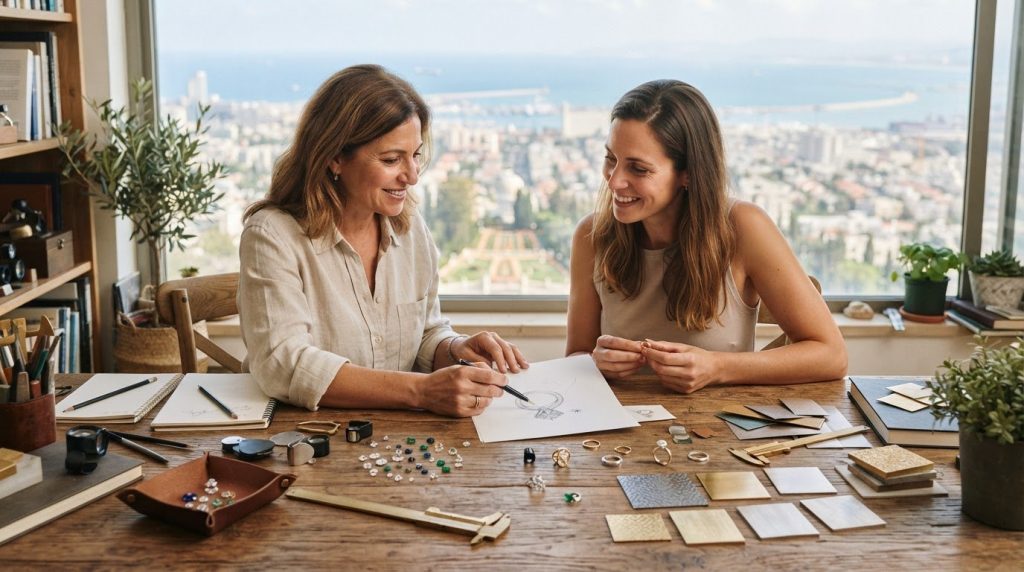
If you’re searching “jewelry design consultation in Haifa what to expect,” you may be wondering what to bring, which decisions you’ll need to make,…
Creating a Ring That Symbolizes a Personal Achievement
-
Posted by
What if the ring that marks your biggest achievement is subtle enough to feel like you, not a trophy? Creating a ring that symbolizes a personal…
Unhappy With Your Final Custom Ring? Here’s What to Do Next
-
Posted by
What if I’m unhappy with my final custom ring, even though I approved the design? A finished piece can feel different on your hand than it did in a…
From Sketch to Sparkle: Ensuring the Final Piece Matches Your Jewelry Design
-
Posted by
You’ve spent weeks dreaming of a ring that captures your story, but as you look at the artist’s rendering, a small doubt creeps in. Will that…
How to Give Constructive Feedback on a Jewelry Design: A Client’s Guide
-
Posted by
What if telling your jeweler you dislike a detail isn’t an insult, but the exact spark they need to craft your dream heirloom? When you first open…
Designing a Custom 18k Gold Ring: 2026 Bespoke Guide
-
Posted by
What if the most exquisite jewelry you ever own isn’t reserved for formal galas, but crafted to enrich your daily life? When you start exploring…
The Art of Ergonomics: Ensuring a Custom Ring is Comfortable for Daily Wear
-
Posted by
True luxury shouldn’t feel like a burden on your hand. While many focus solely on the carat weight or the sparkle, the real artistry lies in ensuring…
Red Flags When Choosing a Custom Jewelry Designer: A 2026 Guide to Protecting Your Vision
-
Posted by
Imagine spending months dreaming of a bespoke 18k gold ring, only to open the velvet box and find a piece that feels like a generic retail cast…

15 Essential Questions to Ask a Jeweler Before They Start Designing Your Piece
-
Posted by
You’ve spent months dreaming of a piece that captures your unique story, but as the jeweler picks up their pencil, a flicker of anxiety often sets…
What if I Change My Mind During the Custom Jewelry Design Process?
-
Posted by
You have spent weeks dreaming of a sleek, minimalist gold band, but suddenly, a more ornate, symbolic setting is calling your name. It is a common…
Custom 18k Gold Jewelry in Israel: A Guide to Creating Modern Heirlooms
-
Posted by
Most jewelry in local boutiques stops at 14-karat gold, but a true modern heirloom requires the deep, buttery glow that only 18-karat purity can…
Custom Gold Necklace Israel: Designing Modern 18k Gold Heirlooms
-
Posted by
Why does so much jewelry today feel like a fleeting trend instead of a permanent part of your story? You’ve likely experienced the frustration of a…